Record 202305
Paper reading
1 Automated Patch Assessment for Program Repair at Scale
1.1 Links
drr code | quixbugs-experiment
1.2 Ideas
学习代码的写法
1.3 Summary
2 Automated Classification of Overfitting Patches with Statically Extracted Code Features
1.1 Links
1.2 Ideas
code features 可以用于测试用例重用中。
1.3 Summary
3 Do Automatically Generated Unit Tests Find Real Faults? An Empirical Study of Effectiveness and Challenges
KotSuite Development
20230505 会议问题
1. 参数: → 修改 plugin,使用 Project API 获取 Project Structure
-
插件安装时,将 library 和 jar 放到默认目录,不用用户选择
-
Put it into
libs/directory -
-
Where is android studio installation path:
/opt/android-studio/ -
Where is android studio plugin path:
~/.local/share/Google/AndroidStudio2022.2/
-
-
private val DOWNLOAD_CACHE_DIRECTORY = "download-cache";

// PathManager.getSystemPath() == "/opt/android-studio/system"
private val DOWNLOAD_PATH = PathManager.getSystemPath() + File.separator + DOWNLOAD_CACHE_DIRECTORY + File.separator + "asciidoctor-intellij-plugin";
-
将参数放到设置中
-
右键选择了 package 或 class,就会生成默认参数
Directories used by Android Studio to store settings, caches, plugins and logs
-
Android Studio Instance:
-
System path:
~/Repos/kotsuite-project/kotsuite/build/idea-sandbox/system -
Options path:
~/Repos/kotsuite-project/kotsuite/build/idea-sandbox/config/options/KotSuiteGlobalSetting.xml - Plugins path:
~/Repos/kotsuite-project/kotsuite/build/idea-sandbox/plugins
-
-
Android Studio
-
Android Studio options path:
~/.config/Google/AndroidStudio2022.2/options -
Android Studio plugins path:
~/.local/share/Google/AndroidStudio2022.2 -
Android Studio system path:
~/.cache/Google/AndroidStudio2022.2 -
Android Studio log path:
~/.cache/Google/AndroidStudio2022.2/log
-
2. 执行过程中:
- 没有找到对应的class文件:需要工具先增加编译指令,先执行编译,后执行生成策略
-
路径选择:不要写死路径,要使用
projectAPI 获取信息-
Android project classes path:
app/build/intermediates/javac/debug/classes/ -
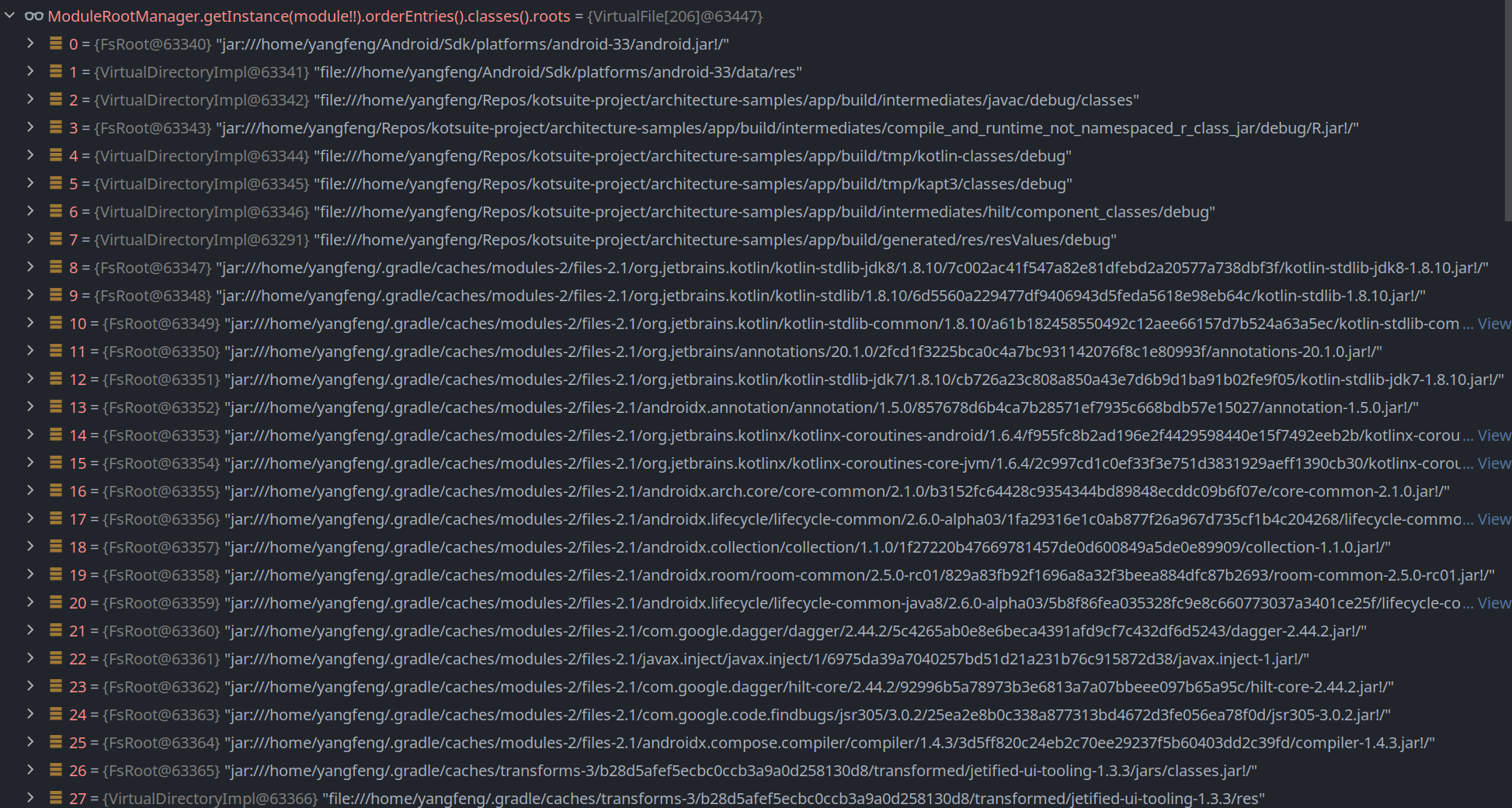
How to get classes root of a module:
ModuleRootManager.getInstance(module).orderEntries().classes().getRoots() -
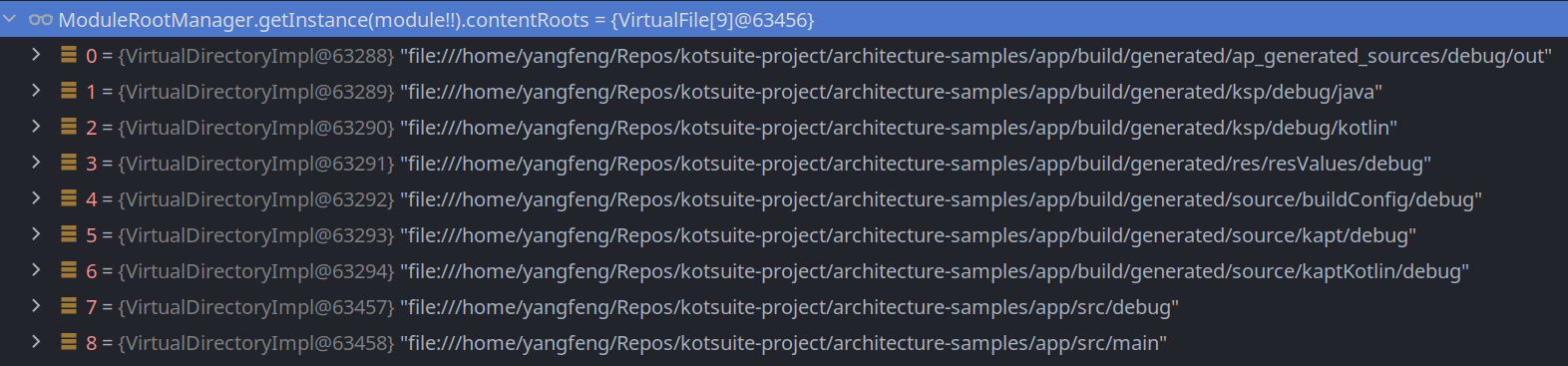
Accessing Module Roots:
ModuleRootManager.getInstance(module).contentRoots-> 最长公共子串 - Accessing Module Source Roots:
ModuleRootManager.getInstance(module).sourceRoots-> end withsrc/main/javaorsrc/main/kotlin - Get Include Rules: 获取包名
-
-
错误提示信息:输出日志要完善,不能让程序卡在那里,每个可能出错的地方都要有提示信息并中断程序。


Ideas
-
Test case reuse with statically extracted code features?
TODO
- plugin: add source path input